 SuperX
Get live statistics and analysis of Dhanian 🗯️'s profile on X / Twitter

SoftwareDev. Roadmaps,Cheatsheets, Projects with Source Code & Resources. Learn; https://t.co/JAYXyQlvSC . Coding Ebooks: https://t.co/g835vCQlG8.
The Creator
Dhanian is a prolific software developer and content creator passionate about sharing roadmaps, cheatsheets, and projects with source code to help others learn coding effectively. With a treasure trove of practical resources and a highly engaging approach, Dhanian makes complex software development concepts approachable and actionable. Their rapid success and generous sharing have built a loyal community eager to grow alongside them.
Top users who interacted with Dhanian 🗯️ over the last 14 days

Coding Dinosaur • Entrepreneur • 200 projects • DM for collabs ➡️ featurenest.com ➡️ tweethook.com ➡️ folll.io

📢 Sharing AI Tools, Web Devs & Tech Tips · 🚀 100K @LinkedIn · 💻 MERN Stack Dev · 🤖 AI Enthusiast · 💼 Open to Freelance & Collabs · 🛠 Building AI Agents

React • Next.js • Full-Stack Engineering - Clean code, real problems, practical solutions

| Tech Writer, Educator | Python, Java, JavaScript, SQL | DSA, Development | Free Resources, AI Tools | Other Version: @therealswapna | Building @JabardastDEV |

AI Content Creator ⚡| Helping brands grow organically | Full-Stack Dev | Built AI tools& real-time apps🤝 🤝 | Collabs & freelance/remote roles → DM open 💌

Lead R&D Engineer ♟️ CISO 🛡️ I build, break and hack systems 🚨 https://t.co/IAlLDUuHtL ⭐️ 👉🏻 https://t.co/1ejDTeDgpO ❤️

I Teach You System Design • 0.5M+ Audience

UI/UX Designer | Web Developer | Sharing tips, tricks, and resources to help make your learning journey easier. 👩💻 DM for collab

Full Stack Developer | Simplifying Web Development with articles and infographics ✨️ • DM for collaboration ✉️

Practical engineering tips on React, NodeJS, Software Design & Architecture • 100K+ Audience • Author of “The Conscious React” book

Software Engineer - Content Creator - Community Builder

techie | chess ♟️| passionate coder | Incompressible | I dare | I love music and collection of art

Sevalla is the home to your upcoming web projects. Host and manage your: - Applications - Databases - Static sites (FREE) in a single, intuitive platform. ✨

UX/Product Designer ✦ Hit me up on my website: insankamil.framer.website ✦ Sell Digital Products: insankamil.gumroad.com Open to collab!

Create perfect translations for apps and content using the best LLM models. Used by devs at @solana, @MistralAI, @Calcom and more. Backed by @ycombinator.

Web Developer | Technical Writer | DM for collab ✨folll.io/Shefali ✨shefali.dev ✨learnify.shefali.dev ✨cssnippets.shefali.dev

React, .NET Engineer 👨💻 | Chess | building @ship_together | DM for only partnership

Daily posts on AI , Tech, Programing, Tools, Jobs, and Trends | 500k+ (LinkedIn, IG, X) Collabs- abrojackhimanshu@gmail.com

Software Developer 💻 | TypeScript | Python | Sharing dev tips AI Enthusiast 🤖 | Stock market newbie 📈 Building tsbuddy.dev

Nothing to Say 🚫
Dhanian tweets so much coding content that even a supercomputer would need a coffee break to keep up with the stream of keyboard shortcuts and backend folder structures.
Rapidly climbing the developer career ladder to a lucrative six-figure salary with minimal experience, all while building a devoted online community hungry for practical coding wisdom.
To empower aspiring and professional developers by providing clear, structured knowledge and hands-on resources that accelerate coding mastery and career growth.
Knowledge-sharing breeds growth, practical learning beats theory-only approaches, and transparency about success and skills inspires others to achieve their dreams.
Exceptional at producing detailed, practical content that resonates with developers; creates high-value educational resources; commands a strong presence through consistent and frequent posting.
The sheer volume of tweets might overwhelm followers, and an intense focus on code might sometimes limit broader engagement or storytelling to foster deeper connections.
Leverage X's thread feature to create bite-sized learning journeys and include short video tutorials or live coding sessions to boost engagement. Engage directly by responding to questions and sharing personal coding struggles or wins for more human connection.
Dhanian achieved a $182,000 salary plus stock in just one year of experience at only 21 years old, inspiring many through transparency and dedication.
Top tweets of Dhanian 🗯️


VISUAL STUDIO CODE ALL SHORTCUT KEYS Basic Editing Shortcut Keys Ctrl + X = Cut line (empty selection) Ctrl + C = Copy line (empty selection) Alt + ↑ / Alt + ↓ = Move line up/down Shift + Alt + ↓ / ↑ = Copy line up/down Ctrl + Shift + K = Delete line Ctrl + Enter = Insert line below Ctrl + Shift + Enter = Insert line above Ctrl + Shift + \ = Jump to matching bracket Ctrl + ] = Indent line Ctrl + [ = Outdent line Home = Go to beginning of line End = Go to end of line Ctrl + Home = Go to beginning of file Ctrl + End = Go to end of file Ctrl + ↑ / Ctrl + ↓ = Scroll line up/down Alt + PgUp / PgDn = Scroll page up/down Ctrl + Shift + ] / [ = Fold/Unfold region Ctrl + K Ctrl + [ = Fold all subregions Ctrl + K Ctrl + ] = Unfold all subregions Ctrl + / = Toggle line comment Shift + Alt + A = Toggle block comment Alt + Z = Toggle word wrap Multi-Cursor and Selection Shortcuts Alt + Click = Insert cursor Ctrl + Alt + ↑ / ↓ = Insert cursor above/below Ctrl + U = Undo last cursor operation Ctrl + L = Select current line Ctrl + Shift + L = Select all occurrences of current selection Ctrl + F2 = Select all occurrences of current word Ctrl + D = Add selection to next find match Ctrl + Shift + Alt + → / ← = Column (box) selection Find and Replace Shortcuts Ctrl + F = Find Ctrl + H = Replace F3 / Shift + F3 = Find next / previous Alt + Enter = Select all matches of Find Ctrl + D = Add selection to next find match Ctrl + K Ctrl + D = Move last selection to next find match File Management Shortcuts Ctrl + N = New file Ctrl + O = Open file Ctrl + S = Save Ctrl + Shift + S = Save as Ctrl + F4 = Close editor Ctrl + K Ctrl + W = Close all editors Ctrl + Shift + T = Reopen closed editor Ctrl + Tab = Switch between open editors Ctrl + P = Quick Open (Go to File) Ctrl + Shift + N = New window Ctrl + Shift + W = Close window Search and Navigation Shortcuts Ctrl + P = Quick Open Ctrl + Shift + O = Go to Symbol Ctrl + G = Go to Line Ctrl + T = Show all symbols Ctrl + Shift + M = Show problems Ctrl + Shift + F = Search across files Ctrl + Shift + H = Replace in files Ctrl + Shift + E = Show Explorer / Focus Ctrl + B = Toggle sidebar visibility Ctrl + Shift + U = Show Output panel Ctrl + Shift + C = Open new terminal Ctrl + Shift + Y = Toggle Debug Console Code Editing and Refactoring Shortcuts Alt + Shift + F = Format document Ctrl + K Ctrl + F = Format selection F12 = Go to definition Alt + F12 = Peek definition Ctrl + . = Quick fix Shift + F12 = Show references F2 = Rename symbol Ctrl + K Ctrl + X = Trim trailing whitespace Ctrl + Space = Trigger suggestion Ctrl + Shift + Space = Trigger parameter hints Alt + Enter = Apply code action Ctrl + / = Toggle line comment Alt + Shift + A = Toggle block comment Integrated Terminal Shortcuts Ctrl + = Toggle integrated terminal Ctrl + Shift + = Create new terminal Ctrl + Shift + C = Copy selection Ctrl + Shift + V = Paste into terminal Ctrl + ↑ / ↓ = Scroll terminal up/down Ctrl + K = Clear terminal View and Layout Shortcuts Ctrl + Shift + P = Show Command Palette Ctrl + Tab = Switch editor tabs Ctrl + 1 / 2 / 3 = Focus into editor group Ctrl + K Ctrl + ← / → = Move between editor groups Ctrl + \ = Split editor Ctrl + K Ctrl + → = Focus next group Ctrl + K Ctrl + ← = Focus previous group Ctrl + K Z = Zen mode Ctrl + = Zoom in Ctrl - = Zoom out Ctrl + B = Toggle sidebar visibility Debugging Shortcuts F9 = Toggle breakpoint F5 = Start/Continue debugging Shift + F5 = Stop debugging F11 = Step into Shift + F11 = Step out F10 = Step over Ctrl + K Ctrl + I = Show hover Ctrl + Shift + D = Open Run and Debug panel Extensions and Source Control Ctrl + Shift + X = Show Extensions view Ctrl + Shift + G = Show Source Control view Ctrl + Shift + E = Show Explorer Ctrl + Shift + J = Toggle Search details Ctrl + K Ctrl + G = View Git output Get the complete Visual Studio Code Mastery ebook here: codewithdhanian.gumroad.com/l/zbhzp


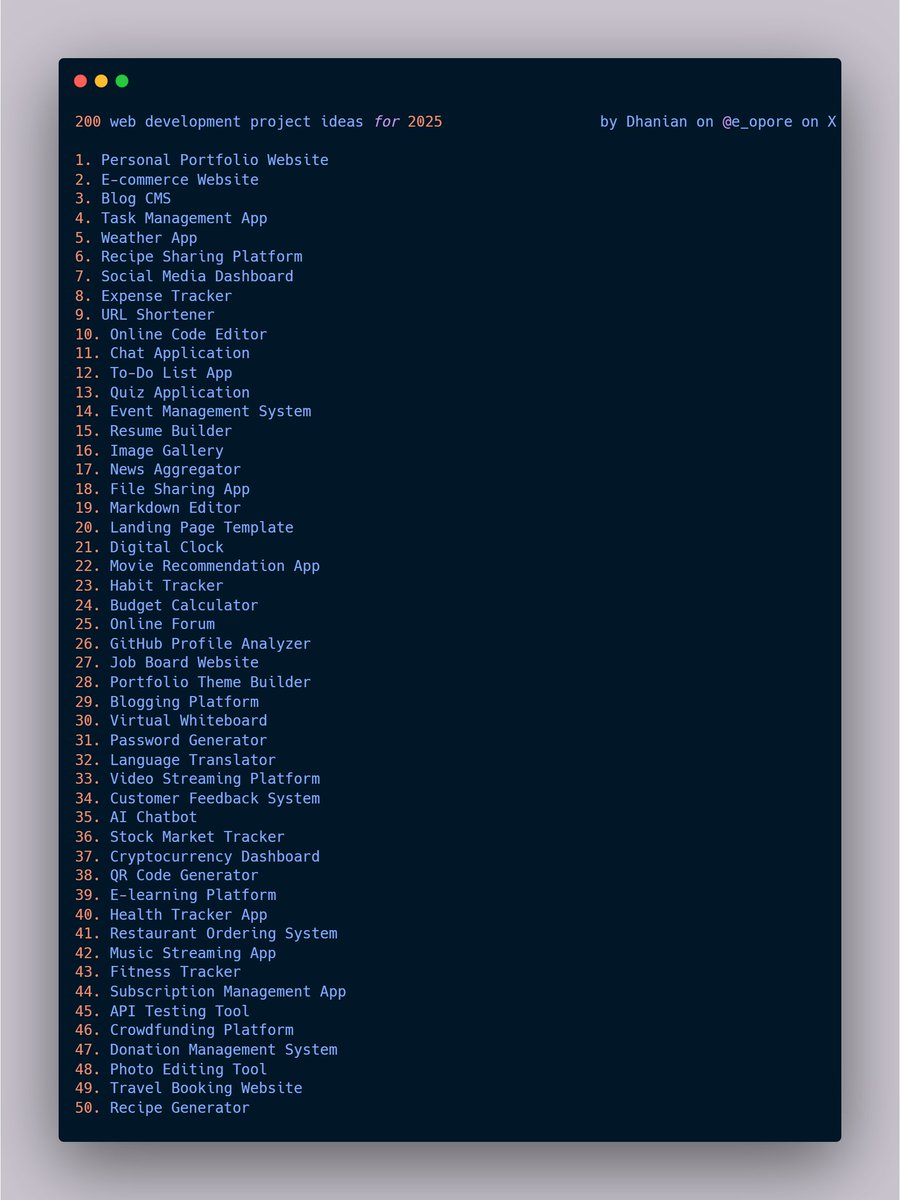
Free Hosting Sites. 1. General Free Hosting Platforms 1. github.io 2. netlify.com 3. vercel.com 4. surge.sh 5. render.com 6. cloudflare.com/pages 7. 000webhost.com 8. infinityfree.net 9. freehosting.com 10. awardspace.com 2. Free Hosting for Static Websites 11. pages.github.com 12. sites.google.com 13. firebase.google.com 14. glitch.com 15. neocities.org 16. 1mb.site 17. codeberg.org 18. docusaurus.io 19. fleek.co 20. ipfs.io 3. Free Hosting for Dynamic Websites 21. replit.com 22. heroku.com 23. railway.app 24. pythonanywhere.com 25. clever-cloud.com 26. freeflaskhosting.com 27. fly.io 28. glitch.me 29. cyb.ai 30. openshift.com 4. Free Hosting for WordPress 31. wordpress.com 32. infinityfree.net/wordpress-host… 33. x10hosting.com 34. biz.nf 35. freehostia.com 36. byethost.com 37. wopop.com 38. awardspace.com/wordpress-host… 39. pantheon.io 40. webfreehosting.net 5. Free Hosting for Node.js Apps 41. glitch.com 42. render.com 43. railway.app 44. heroku.com 45. vercel.com 46. kinsta.com 47. clever-cloud.com 48. fly.io 49. stormkit.io 50. deno.com

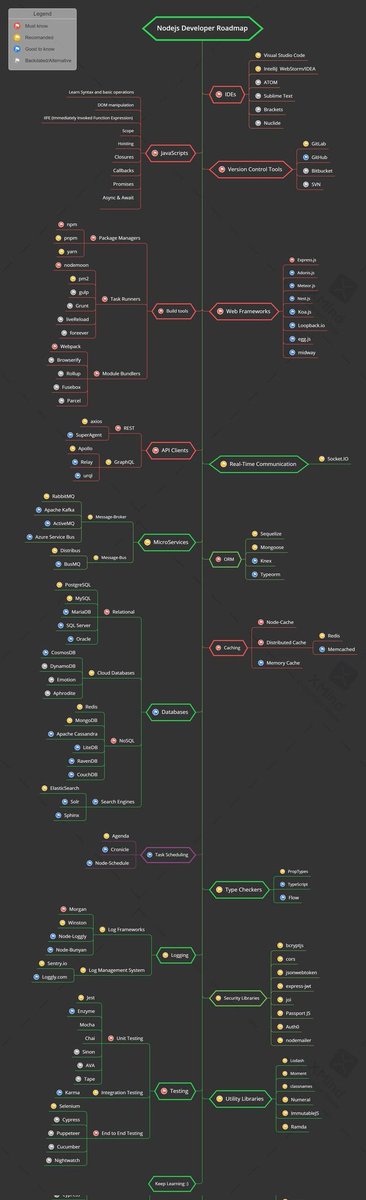


Authentication & Authorization (OAuth, JWT, Sessions) What is Authentication? Authentication is the process of verifying the identity of a user or system. It ensures that the person or application trying to access a system is who they claim to be. → Example: Logging in with a username and password. What is Authorization? Authorization determines what an authenticated user is allowed to do within a system. It defines permissions and access levels. → Example: A normal user can view content, while an admin can add or delete content. OAuth (Open Authorization) → A standard protocol for token-based authentication and authorization. → Allows users to log in using third-party providers like Google, Facebook, or GitHub. → Example: "Log in with Google" button on websites. JWT (JSON Web Token) → A compact, secure token format used for authentication. → Contains encoded user information and is signed to ensure integrity. → Commonly used in stateless authentication, where the server doesn’t store session data. → Example: After logging in, the server issues a JWT that the client sends with every request. Sessions → A method where the server stores user authentication data temporarily. → A session ID is stored in the client’s browser (cookie) and mapped to server-side data. → Example: Traditional web apps where a user stays logged in until the session expires or they log out. Key Differences → OAuth: Delegates authentication to external providers. → JWT: Stateless authentication with tokens stored on the client. → Sessions: Stateful authentication with data stored on the server. Real-World Examples → OAuth: Logging into Spotify using Facebook or Google. → JWT: APIs where clients authenticate using tokens. → Sessions: Classic PHP or Node.js web apps with login systems. Grab the Backend Development Ebook here: codewithdhanian.gumroad.com/l/juuzy
Caching (Redis, Memcached) What is Caching? Caching is the process of storing frequently accessed data in a temporary storage (cache) so future requests can be served faster. Instead of querying the database every time, the system retrieves data from the cache, reducing response time and server load. Why Caching is Important → Improves application performance. → Reduces load on the database. → Enhances scalability and user experience. → Useful in real-time applications where speed is critical. Redis Redis (Remote Dictionary Server) is an open-source, in-memory data store often used as a cache, database, and message broker. → Stores data in key-value pairs. → Supports complex data structures like lists, sets, and hashes. → Provides persistence options (data can be saved to disk). → Commonly used in session storage, leaderboards, and pub/sub systems. Advantages of Redis → Very fast (in-memory). → Rich data types and features. → Persistence support (RDB, AOF). → Suitable for real-time analytics. Memcached Memcached is a high-performance, in-memory caching system designed for simplicity and speed. → Stores data in key-value pairs. → Focuses only on caching (no persistence, fewer data structures). → Commonly used for caching database queries, HTML fragments, or session data. Advantages of Memcached → Simple and lightweight. → Extremely fast read/write operations. → Scales horizontally across multiple servers. Redis vs Memcached → Redis: Feature-rich, supports persistence and advanced data types. → Memcached: Lightweight, purely focused on caching. → Redis: Best for applications needing caching + extra functionality. → Memcached: Best for simple caching with minimal overhead. Real-World Examples → Redis: Storing user sessions in large-scale apps like Twitter. → Memcached: Caching product details on e-commerce sites for faster page loads. Download The Backend Ebook ( it covers everything above and more) codewithdhanian.gumroad.com/l/juuzy

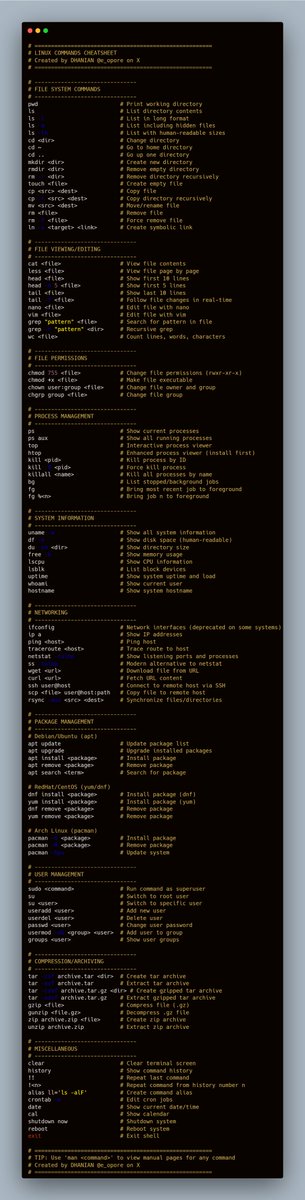
Most engaged tweets of Dhanian 🗯️



People with Creator archetype

Mental health & Fitness, Fashion & beauty, Self-dev, AI Art, Graphic design | REAL EYES, REALIZE, REAL LIES

22 ✦ I make videos and sometimes write code ✦ Built a startup once & was a live streamer for years ✦ Side adventures @MrLafdaSingh @100xInterview

I'm doing my best

Designer, collector of digital objects, lowercase "a" artist. Product Design at @Shape_L2/@0xDecaArt, prev @rodeodotclub/@foundation, @delighted (co-founder).

Scientist. Super User. I AM SU. Time Traveler. Numelogist. Author. Musician. Wine Maker. Navigator of the Universal Record. Sailor. NAVY Veteran ⚓️

Gamer Dad, Grill Master, working on my own line of BBQ sauces

Creator & Streamer on @AbstractChain | GIGA CHAD | @MoodyMights Ambassador

Indie Developer Backend (Go | PHP | Python | Node) / TS Rust ing AI / LangChain / RAG / Agents 系统架构设计必备书籍:u.jd.com/UqQUxBX

Redhead muse 🌹 She fell from the light, but carries its echo within. Writer & world-builder. My QTs are always open, to everyone

Building web experiences on WordPress, Shopify, html, css 🌐 Learning, shipping & connecting with other makers Follow my #BuildInPublic journey

Software developer

design & frontend
Explore Related Archetypes
If you enjoy the creator profiles, you might also like these personality types:
